Deepfake Photography and Camera Authenticity: How to Spot Fakes
Learn how to spot deepfake photography, verify camera authenticity, and protect your images in 2026 with proven techniques and trusted tools.
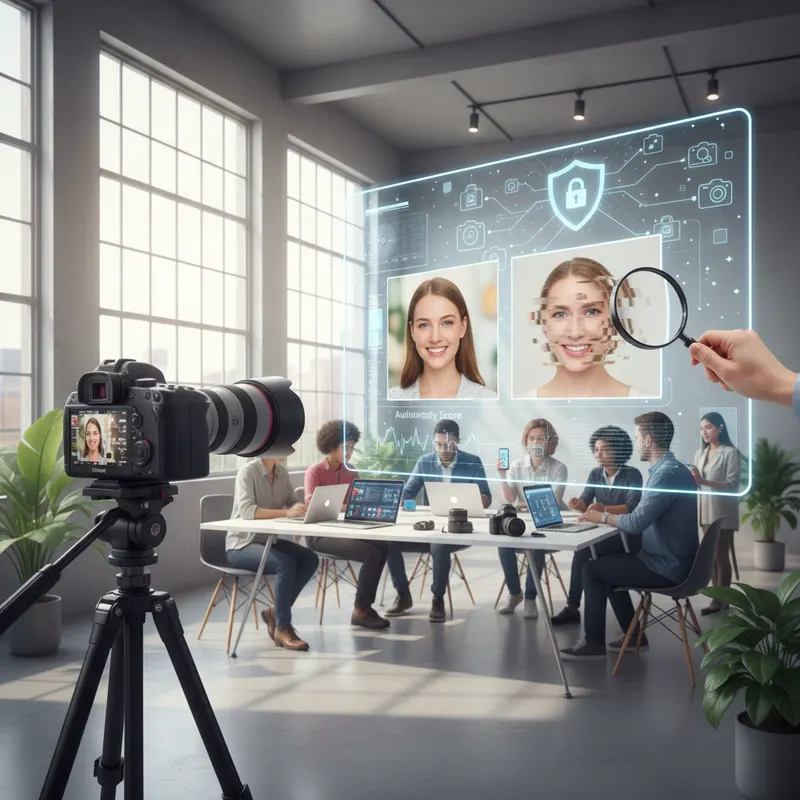
Spotting fake photography and confirming whether an image actually came from a real camera is no longer something only cybersecurity specialists need to worry about. In 2026, it’s an urgent, pressing concern for photographers, journalists, and honestly — anyone who picks up a smartphone. AI-generated images have reached a level of realism that’s genuinely unsettling, and the fundamental question of whether you can trust a photograph has never felt more loaded. Knowing how these fakes are made, what legitimate camera data looks like, and which tools can help you verify the real thing? That’s fast becoming a core skill for visual communicators of every kind.
What Deepfake Photography Actually Is — and Why It Puts Camera Authenticity at Risk
Deepfake photography means AI-generated or AI-manipulated images built to pass as real photographs taken with an actual camera. This isn’t your grandmother’s Photoshop retouching — adjusting skin tone or cloning out a tourist in the background. Deepfakes synthesize entire scenes, faces, and environments from nothing. The underlying technologies — Generative Adversarial Networks (GANs) and diffusion models — have matured at a remarkable pace since 2022. By 2025, researchers at MIT Media Lab had documented something sobering: more than 96% of untrained observers couldn’t tell AI-generated portraits from real photographs under controlled conditions.
The fallout from this is serious, and it’s happening across multiple domains simultaneously. Fabricated images have already been deployed in disinformation operations, insurance scams, fraudulent legal proceedings, and identity theft schemes. And for working photographers — this isn’t just an abstract concern. The authenticity of your portfolio is a commercial and reputational asset. If clients can’t be sure an image actually came from a camera, the entire foundation of the photography marketplace starts to crack.
How These AI Systems Actually Build a Fake Photo
Modern text-to-image models don’t sketch or paint in any meaningful sense. They sample from a learned probability distribution built on billions of real photographs. The output is statistically believable — but physically impossible in ways that, once you know what to look for, become apparent:
- Lighting that doesn’t add up: shadows falling in directions that contradict the visible light source
- Anatomical slip-ups: extra fingers, mismatched ears, hairlines that blur and dissolve at the edges
- Background chaos: text rendered as nonsense scribbles, textures that repeat unnaturally, reflections that defy physics
- Absent lens behavior: no chromatic aberration, no diffraction, no authentic bokeh transitions
Why Camera Metadata Matters So Much for Verifying a Real Image
Every time a real camera takes a photo, it embeds a detailed trail of technical data directly into the file — and AI-generated images typically lack this entirely, or fake it badly. EXIF metadata (Exchangeable Image File Format) is written into JPEG, TIFF, and RAW files at the firmware level, at the exact moment of capture. What does it contain? A lot, actually:
| Metadata Field | Real Camera Value Example | Deepfake / Edited Image |
|---|---|---|
| Camera Make/Model | Sony α7R V | Often absent or generic |
| Lens Model | FE 24–70mm f/2.8 GM II | Missing or inconsistent |
| GPS Coordinates | 48.8566° N, 2.3522° E | Absent or fabricated |
| Shutter Speed | 1/500 sec | Absent |
| ISO Value | 800 | Absent |
| Date/Time Original | 2026-04-15 14:32:07 | Absent or epoch default |
| Color Space | sRGB / Adobe RGB | Often sRGB default only |
| Software | Camera firmware v2.10 | Photoshop, DALL·E tag |
Free tools like ExifTool and Jeffrey’s Exif Viewer let anyone pull this information in seconds. That said — and this is important — metadata alone isn’t a slam dunk. It can be stripped or manually injected by someone who knows what they’re doing. That’s exactly why the industry has pushed toward cryptographic signing as the next layer of defense.
Content Credentials and the C2PA Standard: The New Gold Standard
The Coalition for Content Provenance and Authenticity (C2PA) — which counts Adobe, Microsoft, BBC, Intel, and Nikon among its members — published its 1.3 specification in 2023. Sony began adopting it across its α and ZV camera lines via firmware updates in late 2024. What C2PA actually does is embed a cryptographically signed manifest directly into the image file at the hardware level — not after the fact, not in software.
When you open a C2PA-signed image in Adobe Photoshop, Lightroom, or run it through the Content Credentials Verify website, a verification badge confirms the camera model, the exact time of capture, and any edits applied afterward — all signed with a certificate that’s mathematically impossible to forge without physical access to the camera’s private key. Right now, this is the most trustworthy standard available for confirming image authenticity.
7 Practical Ways to Spot a Deepfake Photo — Starting Today
You don’t always need specialized software to catch a fake. These visual and technical checks can be applied right now, including on a phone.
1. Look Hard at the Eyes and Teeth
AI portrait generators still consistently stumble on the specular highlights in eyes (those small catchlights) and the fine detail of individual teeth. Things to watch for:
- Catchlights appearing in both eyes but clearly originating from different directions
- Teeth that merge into a smooth white mass instead of showing individual contours
- Irises with unnaturally perfect symmetry — real irises are asymmetric, always
2. Zoom Into the Edges and Backgrounds
Push to 200% or higher on any area away from the main subject — backgrounds, jewelry, individual hair strands, ear shapes. AI models concentrate their computational resources on the focal point and produce low-coherence, almost fuzzy noise at the periphery. A real camera captures edge detail with the same physical fidelity as the center (lens optics aside).
3. Run It Through an AI Detection Tool
Several solid tools now offer automated deepfake scoring:
- Hive Moderation (hivemoderation.com) — commercial API, 97.3% accuracy on 2024 benchmarks
- Microsoft Azure AI Content Safety — enterprise-grade, integrated with Azure Cognitive Services
- Illuminarty (illuminarty.ai) — free tier available, catches diffusion model artifacts
- Google SafeSearch API — flags synthetic content in live production environments
Here’s the thing though — no single detector hits 100% accuracy. Use two or more together. The overlap dramatically reduces false negatives.
4. Pull the EXIF Data
Download the image file and run it through ExifTool. A genuine photograph from 2026 should contain at minimum: a camera model, lens information, exposure settings, and a real timestamp. If the EXIF is empty — or if the only software field reads something like “Adobe Photoshop 26.0” — that image has almost certainly been heavily processed or synthesized outright.
5. Do a Reverse Image Search
Google Images, TinEye, and Yandex Images can trace where a photo actually originated. If an image supposedly documenting a breaking news event first appeared on an AI art community forum? You have your answer.
6. Look for Noise Pattern Irregularities
Real camera sensors produce something called photo-response non-uniformity (PRNU) — a unique fingerprint created by microscopic variations in how the sensor was manufactured. Tools like FotoVerifier and Amped Authenticate extract and cross-reference these PRNU signatures. If the signature doesn’t match the camera model claimed in the metadata, something’s off.
7. Hunt for GAN Fingerprints in the Frequency Domain
Generative models leave statistical artifacts that show up when you analyze the image in the frequency domain. Running a Fast Fourier Transform (FFT) on a suspicious image often reveals a telltale regular grid pattern — a so-called “GAN grid” — that simply doesn’t appear in photos taken with a real camera. FakeFinder, developed by Mayachitra and released in 2023, automates this entirely.
How Camera Makers Are Fighting Back Against the Authenticity Crisis
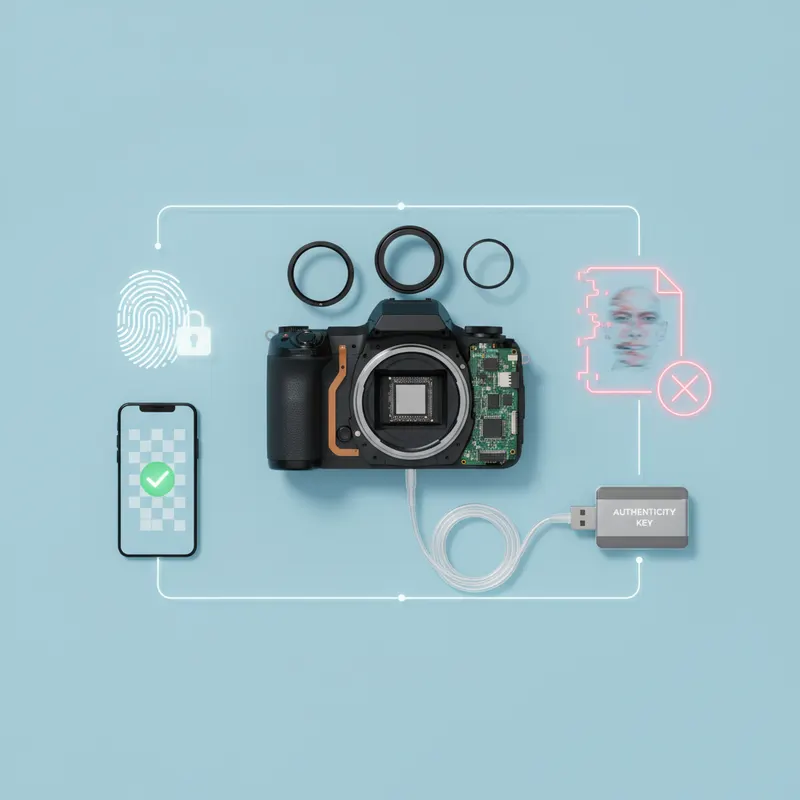
The camera industry has collectively arrived at a conclusion: hardware-level authentication is the only defense that’s genuinely robust against AI-generated fakes. And several major manufacturers have already moved from talking to doing.
Sony’s Cryptographic Signing Approach
Sony rolled out cryptographic image signing with the α7CR and α9 III in 2024. The mechanism is elegant — at the exact moment the shutter fires, the camera generates a digital signature using a private key stored inside a tamper-resistant hardware security module (HSM) on the camera’s main board. The corresponding public key sits on the C2PA trust list. From that point, any image signed by that camera can be independently verified on any C2PA-compatible platform, anywhere on earth.
Nikon’s NX MobileAir Solution
Nikon’s NX MobileAir application — available since 2023 for Z-series cameras — transfers images wirelessly while embedding C2PA credentials in the process. Nikon has also partnered with Starling Lab (a joint initiative of USC Shoah Foundation and Stanford University) to anchor provenance records to the blockchain for high-stakes documentary photography. That’s a significant commitment.
Canon and the EOS R5 Mark II and R1
Canon baked C2PA content credentials directly into the EOS R5 Mark II and R1 (both released in the 2024–2025 window). Canon’s implementation adds GPS data to the signed manifest, meaning each image carries both geographic and temporal verification simultaneously. The company published a detailed technical white paper on the approach in November 2024 for anyone wanting to dig into the specifics.
The Leica M11-P: A Landmark Moment
Then there’s the Leica M11-P — launched in October 2023 at $9,195 — which earned the distinction of being the world’s first camera to ship with C2PA content credentials enabled out of the box, by default, requiring no firmware update whatsoever. Every single image it captures automatically carries a signed manifest. It was a meaningful moment for the idea of camera authenticity as a first-class feature, not an afterthought.
The Bigger Picture: AI in Photography Isn’t All Fake
It’s worth stepping back here — because understanding deepfakes also means understanding where legitimate AI fits into modern camera systems. There’s a critical distinction between AI-enhanced photography (computational processing applied to real sensor data) and AI-generated imagery (synthetic content with no physical origin at all). For a fuller picture of how AI fits into genuine camera workflows, our guide on AI Photography Explained: How Artificial Intelligence is Enhancing Digital Cameras goes deep on this.
AI subject tracking, scene recognition, and noise reduction — these all operate on data that a real sensor actually captured. They don’t compromise authenticity. And C2PA standards explicitly allow these processing steps to be recorded in the signed manifest, so a viewer can see precisely what AI work was done post-capture. The goal isn’t an absence of AI — it’s transparency about what AI did and when.
Building a Photography Workflow That’s Actually Trustworthy in 2026
Protecting your own images — and being able to prove they’re real — takes both the right tools and consistent habits. Here’s a practical workflow worth adopting if verifiable authenticity matters to your work.
Before you shoot:
- Use a C2PA-compatible camera (Sony α7R V, Canon EOS R5 Mark II, Leica M11-P, or Nikon Z8 with NX MobileAir)
- Turn on GPS tagging and confirm your firmware is current
- Register your camera’s public key with C2PA if your manufacturer supports the process
At the moment of capture:
- Shoot RAW + JPEG simultaneously — RAW files preserve complete sensor data and PRNU fingerprints
- Stick to reputable memory cards; some third-party cards have known firmware vulnerabilities
While editing:
- Use Adobe Lightroom (version 8.0+) or Photoshop (2025+) — both automatically log edits into the C2PA manifest
- Be cautious with unfamiliar third-party plugins that might silently strip credentials during export
When delivering:
- Submit images with Content Credentials intact — don’t flatten or re-export carelessly
- Attach the ExifTool output alongside your files for editorial clients who need it
- Run your images through contentcredentials.org/verify before submitting to confirm the credentials read correctly
This matters more than many photographers realize. The Reuters Institute Digital News Report 2025 found that 61% of news consumers across 14 countries reported lower trust in online photography compared to 2022. Photographers who can demonstrate a verifiable chain of custody for their images are positioning themselves as credible professionals in a market that’s growing increasingly skeptical — and rightfully so.
Wrapping Up
Fake photography and camera authenticity verification isn’t a problem that’s going away — if anything, it’s accelerating. But the combination of sharp visual inspection habits, EXIF analysis, AI detection tools, and hardware-level cryptographic signing through C2PA gives you a genuinely robust, layered defense against synthetic imagery. Sony, Nikon, Canon, and Leica are all building authentication directly into their cameras, which means photographers now have real, practical tools to prove the legitimacy of their work.
The message is simple: adopt C2PA-compatible equipment, build systematic verification into your process, and never lean on just one detection method. As AI generation gets more sophisticated — and it will — verification practices have to keep pace. For more on how AI is reshaping what cameras can do, check out AI Photography Explained: How Artificial Intelligence is Enhancing Digital Cameras. Stay ahead of the curve.
You might also like

The Ethical Dilemma of AI-Generated Images: Authenticity, Copyright, and the Future of Photography
Explore the ethical dilemma of AI-generated images covering authenticity, copyright disputes, and what these shifts mean for the future of photography in 2026.

How to Protect Your Photos From Cyber Threats
Your photo library is a valuable target for hackers. Learn how to secure your images with backups, encryption, and smart digital hygiene.
Camera Firmware Updates: Why They Matter and How to Install Them
Firmware updates can add features, fix bugs, and improve your camera's performance for free. Here's why you should keep your camera up to date.